How to Clean iPad Screen: A Comprehensive Guide
- AnHome Store
- Oct 5, 2024
- 3 min read

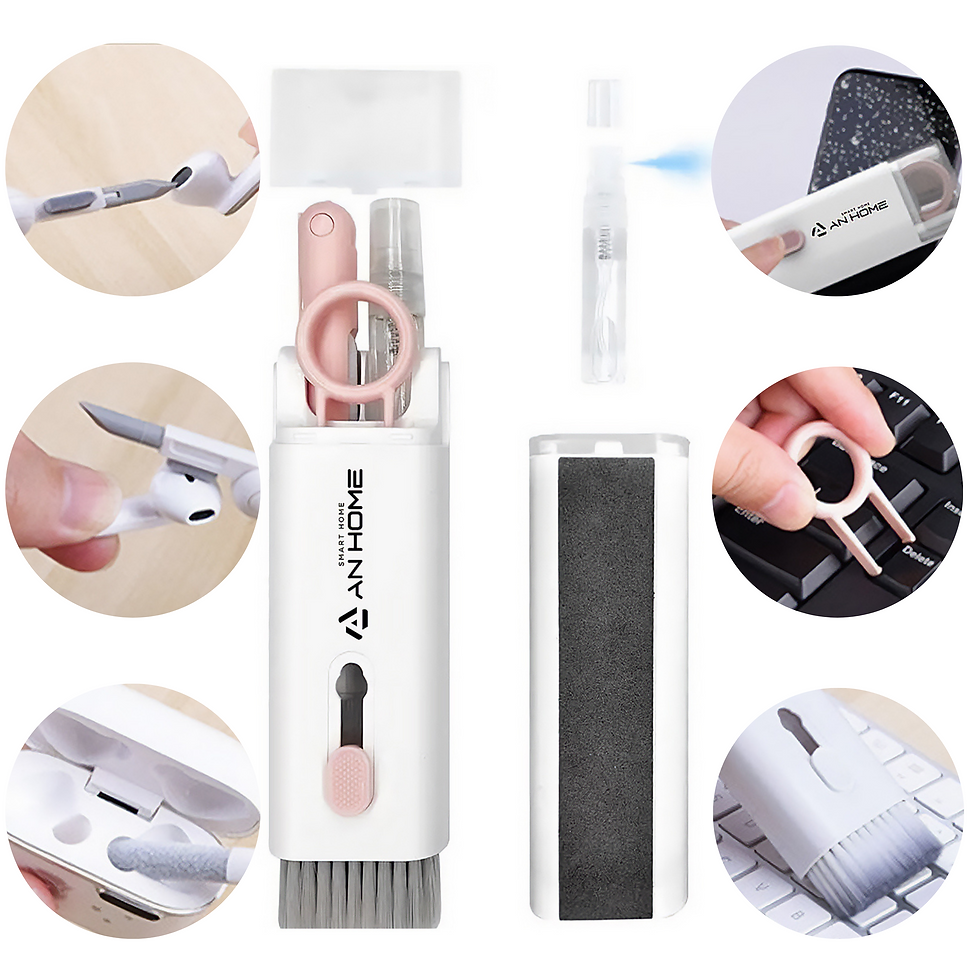
In today's tech-driven world, iPads have become indispensable tools for both personal and professional use. Keeping the screen clean is crucial for maintaining optimal performance and a clear, vibrant display. In this comprehensive guide, we'll explore the best practices for how to clean iPad screen, ensuring your device remains in pristine condition.
Why It's Important to Clean Your iPad Screen
Your iPad screen is the primary interface for interacting with your device. Dust, fingerprints, and smudges can accumulate quickly, affecting both the appearance and functionality of your iPad. Regular cleaning not only enhances your viewing experience but also extends the lifespan of your device.
Clarity and Visibility: A clean screen offers better clarity and visibility, reducing eye strain and making your interactions more enjoyable.
Hygiene: Regular cleaning reduces the buildup of germs and bacteria, promoting a healthier environment, especially for devices used by multiple people.
Longevity: Proper maintenance can prevent damage and extend the lifespan of your iPad.
What You'll Need to Clean Your iPad Screen
Before diving into the cleaning process, gather the necessary tools. Here's what you'll need for how to clean iPad screen effectively:
1. Microfiber Cloth: Soft and non-abrasive, ideal for wiping away fingerprints and smudges without scratching the screen.
2. Cleaning Solution: A specially formulated, alcohol-free solution that's safe for use on electronic screens.
3. Compressed Air: Useful for blowing away dust particles from hard-to-reach areas.
4. Cleaning Wipes: Pre-moistened wipes for quick and convenient cleaning sessions.
How to Clean iPad Screen: Step-by-Step Guide
Follow these steps to ensure your iPad screen is spotless and well-maintained:
Step 1: Turn Off Your iPad
Before you start cleaning, power down your iPad and unplug any connected accessories. This prevents any accidental inputs and reduces the risk of electrical damage.
Step 2: Use Compressed Air
Hold the compressed air canister a few inches away from the screen and gently blow away any loose dust particles. Focus on the edges and corners where dust tends to accumulate.
Step 3: Apply Cleaning Solution to Microfiber Cloth
Lightly dampen a microfiber cloth with the cleaning solution. Avoid soaking the cloth, as excess moisture can seep into the device and cause damage.
Step 4: Wipe the Screen
Gently wipe the screen in a circular motion, applying light pressure. Focus on areas with visible smudges and fingerprints. The microfiber cloth will lift away dirt and grime without scratching the screen.
Step 5: Use Cleaning Wipes for Quick Touch-Ups
For quick touch-ups, use pre-moistened cleaning wipes. They are convenient for on-the-go cleaning and ensure your screen remains clear and smudge-free.
Tips for Maintaining a Clean iPad Screen
Keeping your iPad screen clean doesn't end with a one-time cleaning. Here are some tips for ongoing maintenance:
Regular Cleaning: Make it a habit to clean your iPad screen regularly, especially if you use it frequently or share it with others.
Avoid Harsh Chemicals: Stick to alcohol-free cleaning solutions designed for electronic screens. Harsh chemicals can damage the screen's coating.
Wash Your Hands: Clean hands reduce the transfer of oils and dirt to the screen. Encourage others who use your iPad to do the same.
Use a Screen Protector: Consider applying a screen protector to safeguard against scratches and smudges. It also makes cleaning easier.
Common Mistakes to Avoid When Cleaning Your iPad Screen
To ensure you don't inadvertently damage your iPad, avoid these common cleaning mistakes:
Using Paper Towels: Paper towels can be abrasive and leave scratches on the screen. Always use a microfiber cloth.
Spraying Directly on the Screen: Avoid spraying the cleaning solution directly onto the screen. Instead, apply it to the cloth first.
Excessive Moisture: Too much moisture can seep into the device and cause internal damage. Use just enough cleaning solution to dampen the cloth lightly.
Conclusion
Regularly cleaning your iPad screen is essential for maintaining its clarity, performance, and longevity. By following the steps outlined in this guide on how to clean iPad screen, you can ensure your device remains in top condition. Invest in the right tools and make cleaning a regular part of your device maintenance routine.
Related article:


Comments